 |
Editing Your Photos Is Easy With Adobe Photoshop Elements Tutorials
 |
When I first saw this video course, I thought to myself, No Way! You can't possibly learn Adobe photoshop elements in under two hours.
But... I misunderstood the meaning of the statement...
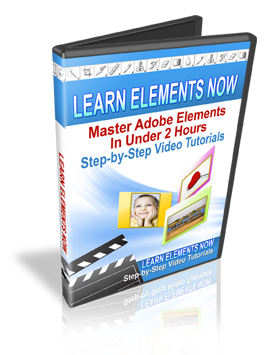
"Learn Elements Now" is a set of 30 videos, which demonstrate step-by-step how to use the many features of Elements. As each video is only a couple of minutes long, theoretically, you could watch everything in two hours.
SO... you can learn Adobe photoshop elements in under two hours, but I personally would have to watch each video at least a few times to grasp it fully.
These step-by-step photoshop elements tutorials will help your digital photos look amazing. Did you ever wish you knew how to get rid of red eye, fix lighting problems and make your shots look 100 times better?
Adobe Photoshop Elements is a FRACTION of the cost of Adobe Photoshop, so owning some fancy image editing software doesn't have to be expensive. This simple version of photoshop is less intimidating and is actually fun to use.
But even with this "simple" version of Photoshop, you'll still want a tutor on board to ensure you make the most of this powerful software. This is where "Learn Elements Now" comes in. Click here and enter your name and email address to get your hands on a copy*.
I don't know about you, but when it comes to software, I learn best by looking over the shoulder of somebody who's an expert at it. That's exactly what these "step-by-step video tutorials" help you to do.
David Peters, the producer of the tutorials, has put together a short video presentation to explain the full video package in detail.
Two FREE Photoshop Elements Tutorials
To Get You Started
If you're not ready to dive straight into learning photoshop by video
tutorial, then I've got something for you to get you warmed up.
Checkout these complementary ebooks that
will give you an insight into the terms and jargon that 'elements' uses.Inside Photoshop Elements Volume 1 is a 29-page introductory report to Photoshop Elements. It explores the differences between Photoshop and Elements.
It also contains quick and easy tutorials on the basics of image editing. Learn how to use the Magic Wand and brushes properly. Adjust contrast, brightness and other levels and retouch, crop and correct images. All this plus much more.
Inside Photoshop Elements Volume 2 is a 22-page report that focuses on the advanced features of Elements.
This great report is a follow-up to Volume 1 and you will learn how to repair and restore old photos, create your own scrapbooking layout pattern and add a border. You will also learn to use Photomerge and produce canvas photo paintings.
Return from Photoshop Elements Tutorials to Digital Photography Tips
Return from Photoshop Elements Tutorials to Digital Photography Tricks
| Didn't find what you're looking for? Search here... |

Custom Search
|

[?] Subscribe To This Site


Sponsored Links
David Coote
Wedding Photographer
Northern Ireland